Splitcoaststampers.com - the world's #1 papercrafting community
You're currently viewing Splitcoaststampers as a GUEST. We pride ourselves on being great hosts, but guests have limited access to some of our incredible artwork, our lively forums and other super cool features of the site! You can join our incredible papercrafting community at NO COST. So what are you waiting for?
In a previous stamping life, I kept some card samples in a binder so I could reference past ideas, design, color schemes or techniques. Sometimes it would be a card that had an oops in it, but still wanted to use as a reference. It worked ok, but... Nowadays, I take pictures of some cards with my phone, which isn't bad, but not the most efficient way of doing it. I especially would like a techniques reference especially when I am feeling void of ideas. Which is a lot lately lol. Do you use digital or non-digital methods?
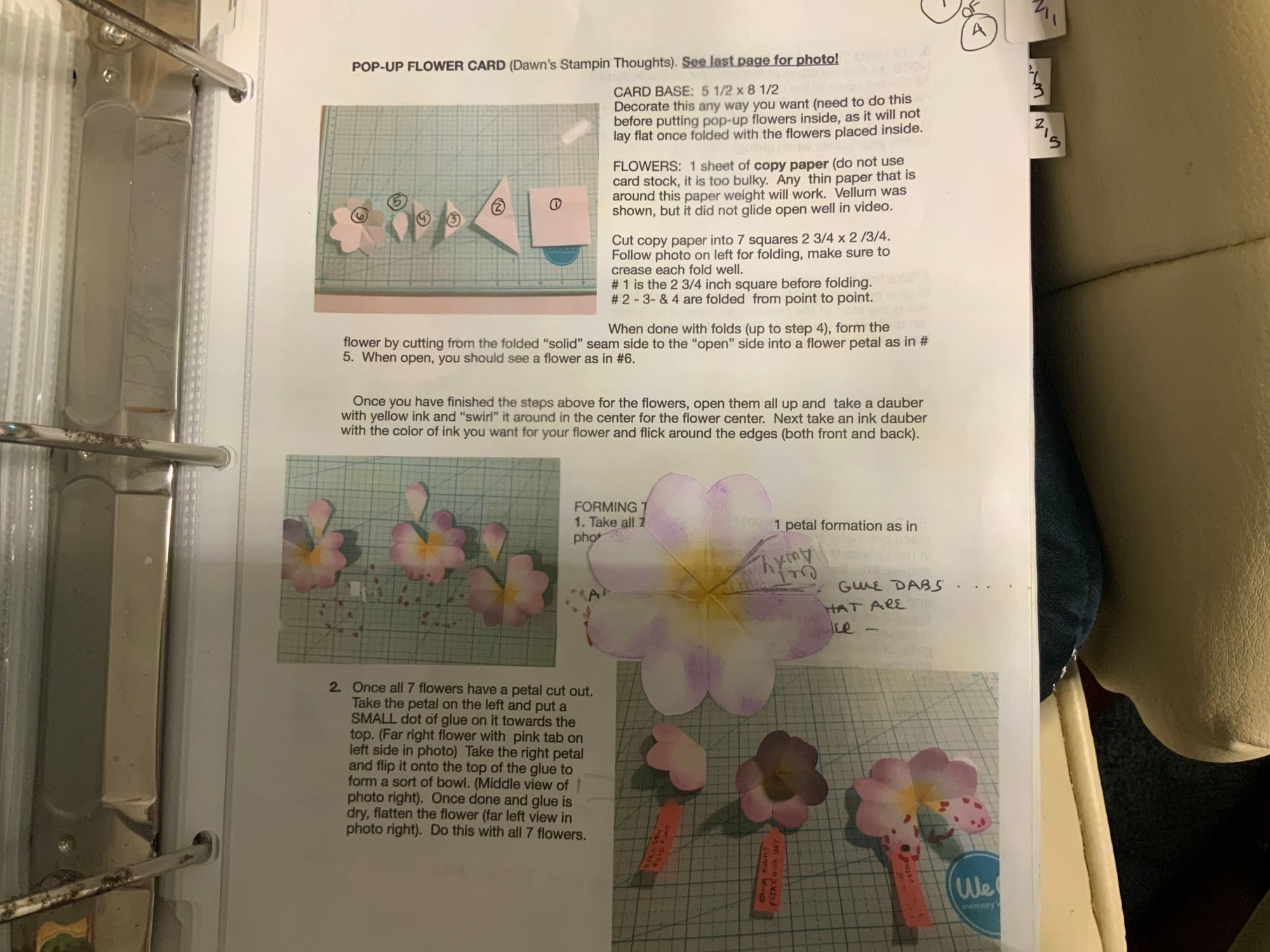
Non digital. I have a 3 ring with directions for techniques and I have stapled card fronts with them.
I also have a batch of cards that other people made that I want to learn the technique on. I mean if you want touchable texture...I want to touch it. Also I am not a tech person anyway.
Some people keep things in plastic pockets in a binder. There was a class and you did that for it with Justine Hovey.
__________________ Margot
I am a proud fan club member
I take a snapshot with my camera of special cards I create (or even scraplift from Pinterest), develop the film at Walmart, and keep them in a binder... instructions on the back. If I receive a card I want to keep as reference, I keep in a plastic shoe box I bought at Dollar Tree. I think I have two filled now... and have been trying to think of a better way myself. I feel like Margot though, I like the 'touch and feel' of paper crafting...
I keep track of them on Pinterest. For example, I have Pinterest board categories for interactive cards, envelope punch board ideas etc. If I watch a video that gives measurements or detailed instructions (like scoring info), I add those to the details of the pin. I find that's the easiest way for me to keep track ...
The following 2 users liked this post by cards by cara:
Prior to Pinterest, I would print off small pics of the cards I wanted to remember and kept them in a notebook. Now I just go to my files on Pinterest.
__________________ Wanda Cullen ~ Dirty Dozen Alumni, On design team for Word Art Wednesday, Previously a designer for Color Throwdown and Fusion Card Challenges Cullen-ary Creations...my blogHERE'S MY GALLERY
Long time ago I started keeping a binder with photos of my cards. But that became a bit difficult for me. Was using a digital camera. Always had difficulty with pictures turning out good. So I started using my phone the last year or so taking pics quick and easy. Didn't have the phone previously. Then put them in a folder on my desktop for quick reference. It has worked great for me and I take pictures of almost every card I make. I can also keep folders for Masculine, Kids, Christmas, Graduation, etc. Seem to always have my computer running so it only takes me a matter of seconds to locate.
Last edited by Valeriesc; 08-10-2021 at 12:12 PM..
This is what I do…. I write up my directions, as I make the card and after each important “spot” I take a photo. I will also keep a sample of the one mechanism, etc., that is important to remember down the road. I write the name of the person showing it on utube as well as the number and name. Then I can go back and watch it if my directions weren’t great!
Most of my ideas is from googling images of other people's cards and getting new techniques, styles and ideas. I do a lot of combining other people's ideas in my cards. Just Google: "images of ....." and you will get a huge selection.
So funny this should come up as this weeks topic...I have 3 large Really Useful boxes filled with card samples I have CASED and made over the years and wanted to keep for reference. I realized I never go to them for inspiration. So I methodically took them and categorized them by layout, with or without written instructions. I realized that many were the same layout, so I purged all that were the same, kept one with instructions. I now have a box ready to go to Cards for Soldiers (Carly Matthews). Still not sure how I want to keep these (physical or digital). It is a work in process.
Suggestions appreciated
I used to save a card for reference but found I didn't make the same card again; the same way I get bored making multiples of a card. Now I have photos of a few special cards on my computer and lots of Pinterest boards for inspiration. It is extremely rare that I would CASE a card but just use those to get my mojo kickstarted.
My phone is the best tool for collecting and organizing new and not so new cards and numerous tutorials. I am 100% sold on using Microsoft's One Note. I take many screen shots so there will be a visual of colors, designs and steps filed away. I love being able to use the search feature it offers. Just a key word often takes me to the method I need to review on a specfic card. Having photos included in the file sparks new ideas too. I use a Samsung Galaxy S10 with an SD card and everything is continuously backed up in the cloud so I can't loose it. I have written about One Note before here. My life is on it.😉 Also, at the request of my son and daughter, I also keep one of each Card I design in some 3 ring binders and on a large cork board in my craft room. I love looking at You Tube, Pinterest and a few other sites to spark my creativity. I love being able to retrieve all of my ideas and instructions from my phone and laptop. During the lock down I started using Rocketbook to write directions while learning specific skills. I just snap a picture of my notes and they are sent to any e-mail or program like One Note. Rocketbook transcribes my writing into a font which allows me to search by phrase or word to bring it up later on. Rocketbook is a system that uses special material to write on and erasable pens. After I transfer my notes to a folder I just clean the surface with a wet cloth and it is ready to take new notes. After the initial cost of a Rocketbook and pen (s) everything else is free to use from an app on my phone. Often on sale at Rocketbook, Woot or Amazon I am really happy with this system. No more little books and loose paper notes to loose. I need to be organized and these programs keep me happy.
I have a Mac desktop computer as well as a Canon scanner. I like to scan everything that I make whether it is a card or an ATC that I made for a swap. I keep them on my computer. I have lots of different categories so whenever I make a new card or ATC or Zentangle, I scan it and save it in the proper category. Whenever I get an idea or want to see what I have done in the past, I pull it up and go from there. I rarely CASE myself but sometimes, I use an old idea and change it up. I also have customers who say they would like me to remake something that they had purchased in the past and I have a pic of it for reference.
Wow these are all great ideas! Thanks for all the responses. I do like the idea of touch and feel, but I also like tech/digital. I can see doing both for particular things. Will need to experiment :-)
I save my ideas on my computer, external hard drive, categorized by art type like rubber stamping, polymer clay,etc. Then sub-categories Ex- Rubber Stamps- Heat Embossing Techniques
I have a Mac desktop computer as well as a Canon scanner. I like to scan everything that I make whether it is a card or an ATC that I made for a swap. I keep them on my computer. I have lots of different categories so whenever I make a new card or ATC or Zentangle, I scan it and save it in the proper category. Whenever I get an idea or want to see what I have done in the past, I pull it up and go from there. I rarely CASE myself but sometimes, I use an old idea and change it up. I also have customers who say they would like me to remake something that they had purchased in the past and I have a pic of it for reference.
We could be sisters! I used to keep a physical example of every card I made along with the instructions, technique used and who it was sent to and when on a sticky note inside. I literally had thousands upon thousands of cards in plastic pockets in about a dozen 4" binders. Storage became a problem, so I scanned them all, divided them up into files by the same categories I use for my stamps and further by name of stamp and keep them on my computer in my documents. I can search for a card by technique, stamp, person it was sent to, date or even supplies used. that way I have a way to get to that card for just about any reason. My Mac goes with me everywhere, therefore so do my cards. I actually do the same this with cards that inspire me to CASE in some way. So if I want some ideas for a technique or a particular stamp, I just put that in my search and have a whole list to choose from. I'm not really a techie, but this I can do!
I scan my cards and put them in folders according to category. Summer, masculine, winter, etc. Besides being on my computer, they are copied up to my OneDrive so can be accessed from my phone or tablet.
Non digital. I have a 3 ring with directions for techniques and I have stapled card fronts with them.
I also have a batch of cards that other people made that I want to learn the technique on. I mean if you want touchable texture...I want to touch it. Also I am not a tech person anyway.
Some people keep things in plastic pockets in a binder. There was a class and you did that for it with Justine Hovey.
ETS: When it comes to cards I make, I take a picture and store it on the computer by year/event or holiday. I have a friend who would pin them so she did not have the storage and other friends could see it.
__________________ Margot
I am a proud fan club member
I found I never looked through the physical cards so have switched to digital files. I actually look through them every now and again and get inspired by different "parts" whenever I do.





 Technique/Design Idea Reference