Gatefold Card with Scor-Pal
by Beate Johns
Create this trifold card in a matter of minutes with the Scor-Pal™.
Supplies
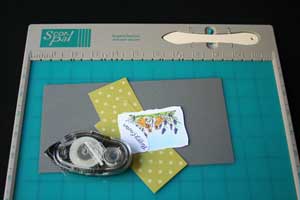
- Scor-Pal™
- 4 1/4" x 8 1/2" piece of Cardstock, or any width, but 8 1/2" long
- Adhesive
- additional cardstock, designer paper and embellishments, to finish the card
Step-by-Step
-
Step 1
Place your 4 1/4" x 8 1/2" piece of cardstock in the top right corner. Place your scoring tool on the 2 1/8" marking and add a score there.
Hint:
You can see two little dots on the top ruler of your Scor-Pal™. These are special markings for gatefold card scores.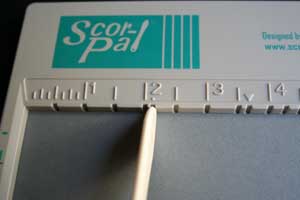
-
Step 2
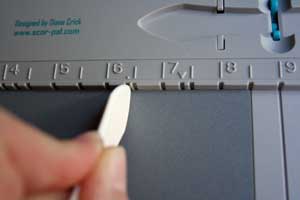
Don't move your paper! Just move your Scor-Tool down to the 6 3/8" mark and add another score there.
-
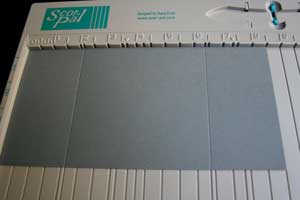
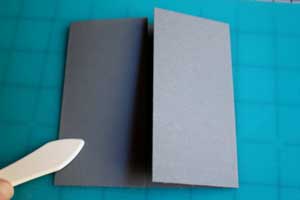
Your cardstock will look like this.
-
Step 3
Use your Scor-Tool to prefold your score lines.
-
Step 4
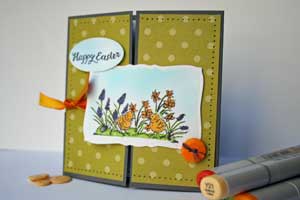
Decorate your card front.
-
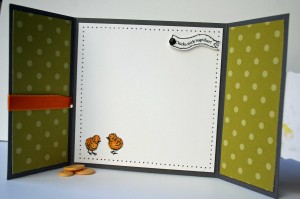
Decorate the inside of your card to finish the card.
Video!
Variations
Try different sizes
To figure out where your scores should be, divide your card width in 4 (eg. 6" x 4= 1 1/2") and score at 1/4 of your width (1 1/2") and 3/4 (4 1/2").
Your Turn
You've seen the tutorial, now you try it! We've got a section of the gallery set aside for Gatefold Card with Scor-Pal. Try this technique, then upload your artwork to the gallery. Show us your creations!
***Please note - Internet Explorer/Edge is not a supported browser, and will not allow you to see the videos. Please use Chrome, Firefox or Safari to view our tutorial videos.

 *
*

Questions and Comments
We'd love to get your feedback or questions. Leave your comment below.
for more pictures how to finish the gate fold card, check our other gate fold card tutorial.
the stamped image of the flower & chicks is adhered on the right flap and to keep it "closed" tucks under the corner of the "happy Easter" oval. Hope that makes sense.
I LOVE my scor-pal. It might be one of the few things I'd grab from my craft room if it ever caught fire
Check our Product Review of the Scor Pal Products in our review section. You will find a link to the Scor-Pal site there.
PS I LOVE the videos and you have a beautiful voice and accent.
Cyber Hugs
Page 1 of 1 pages